




QP Pro 2 Air Quality Monitor
£162.00 Price excl. VAT: £135.00
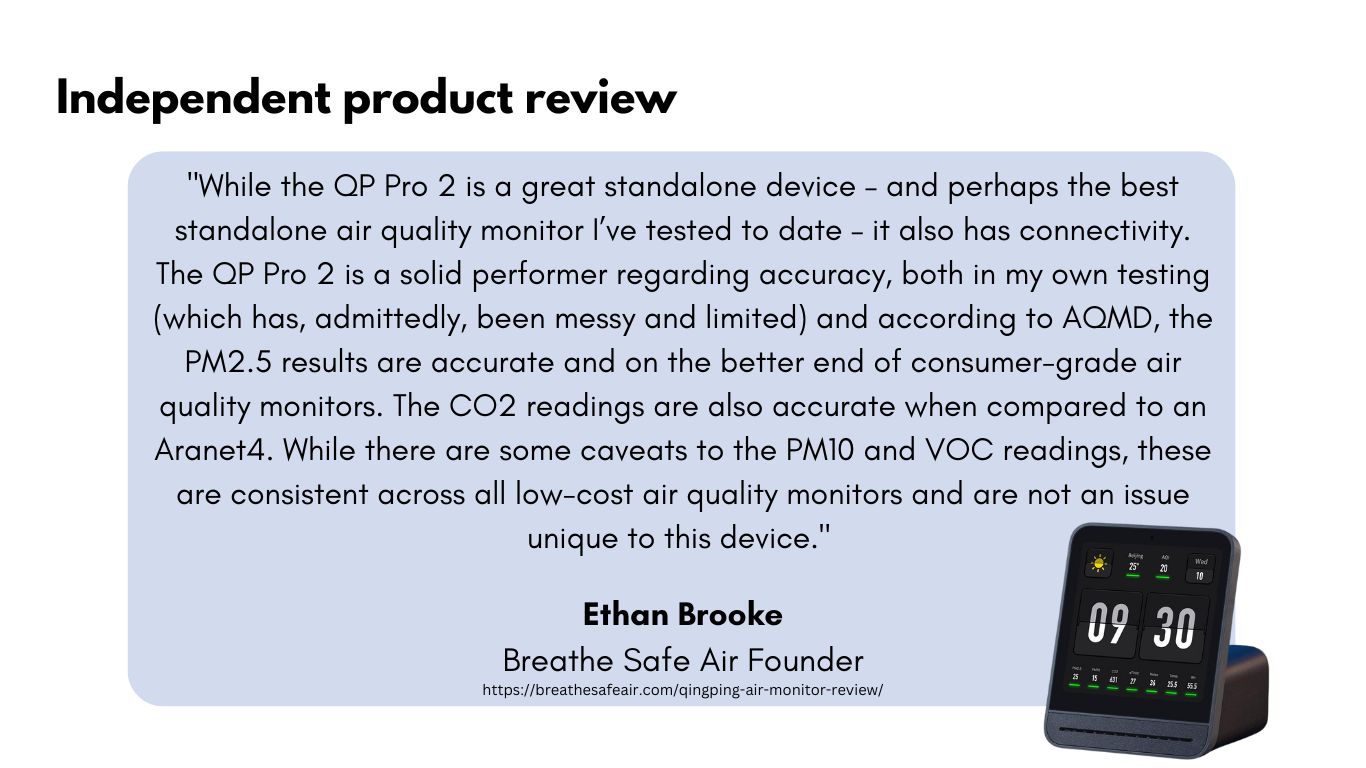
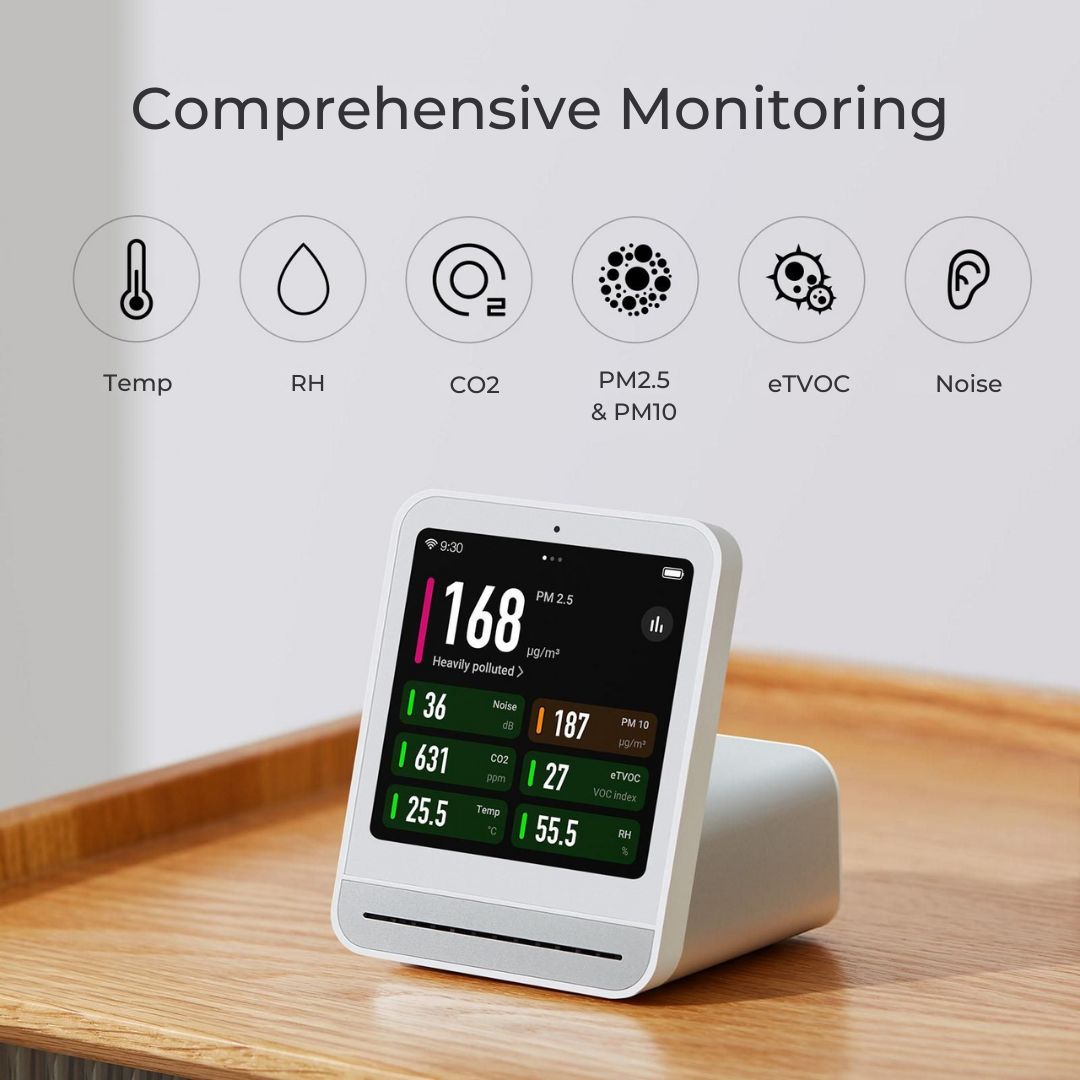
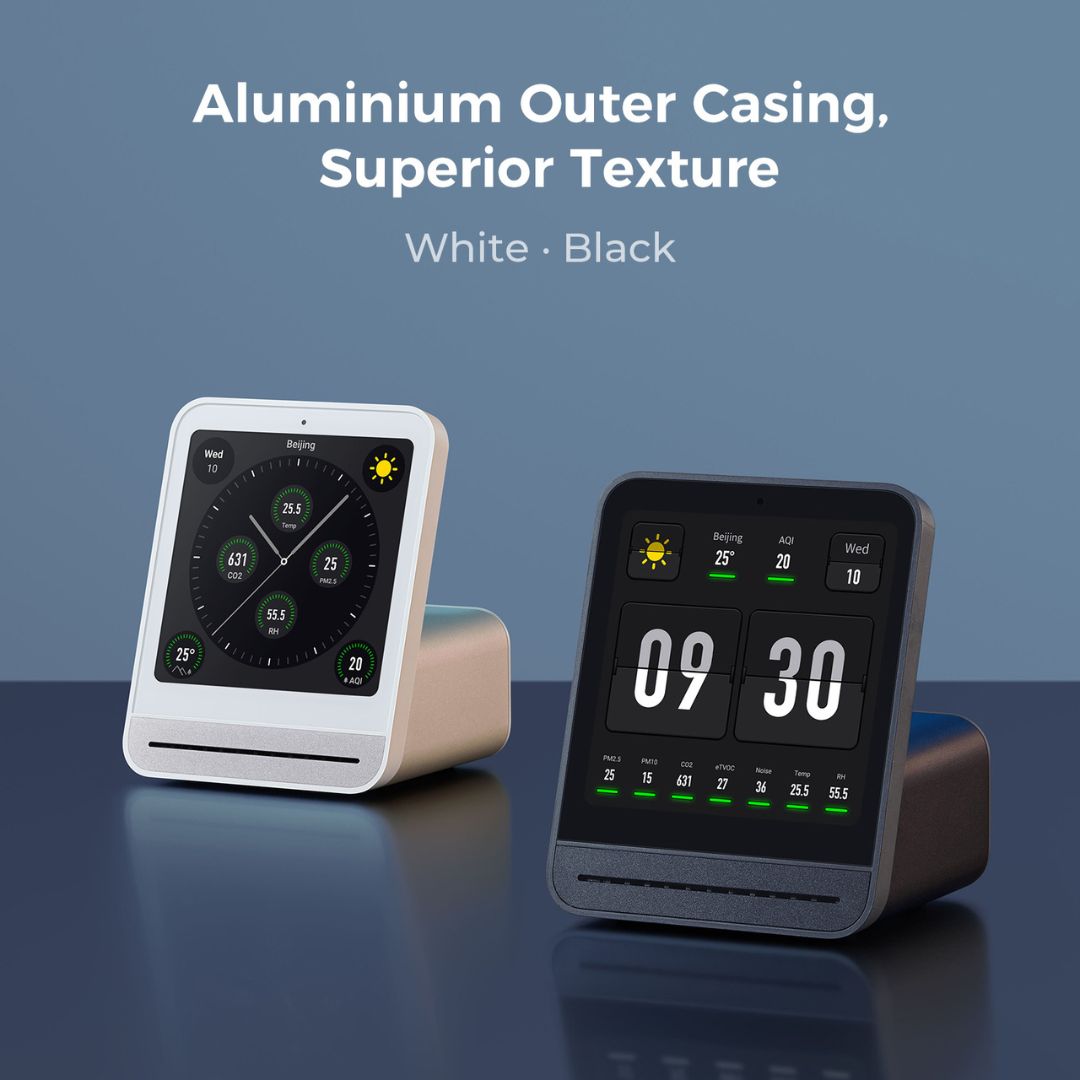
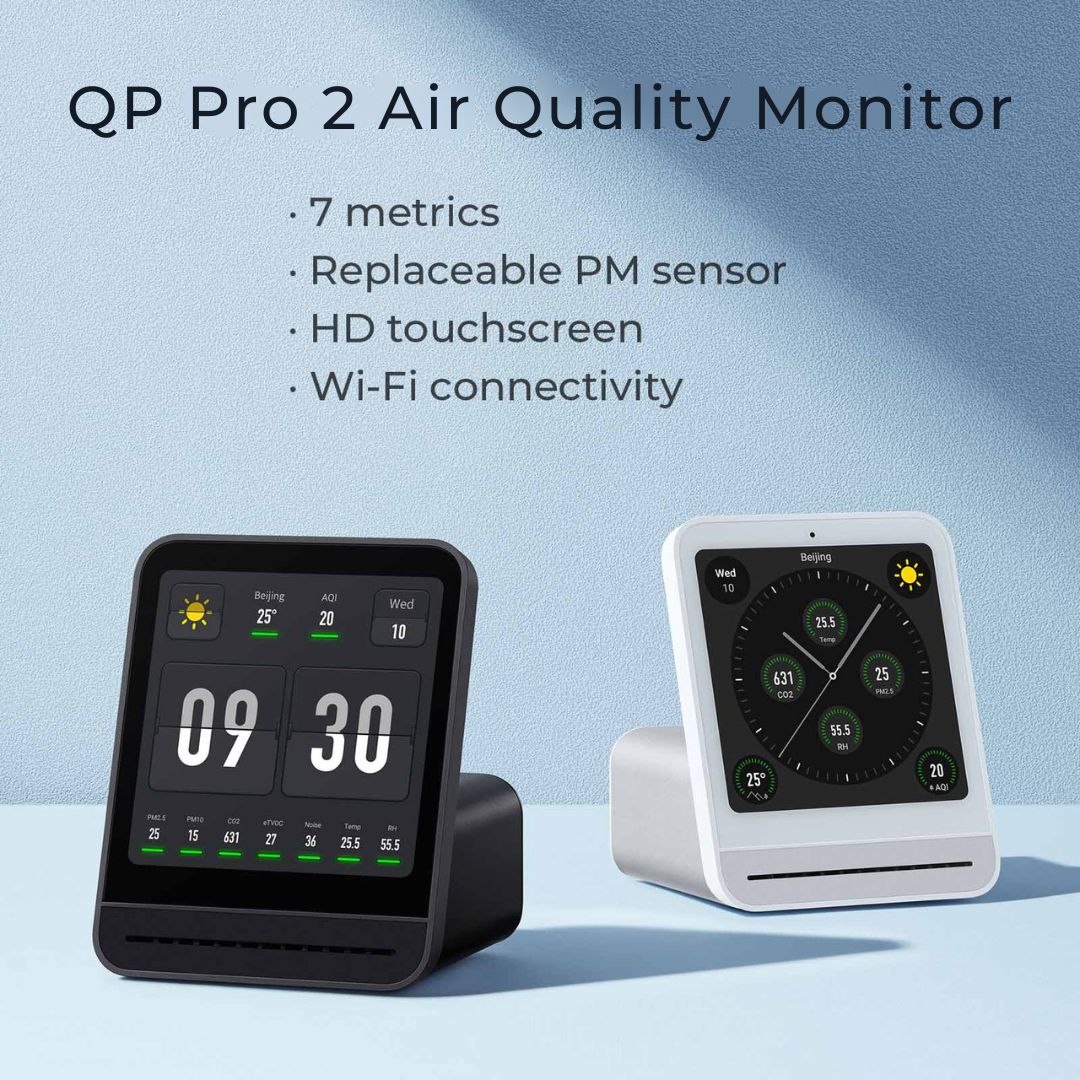
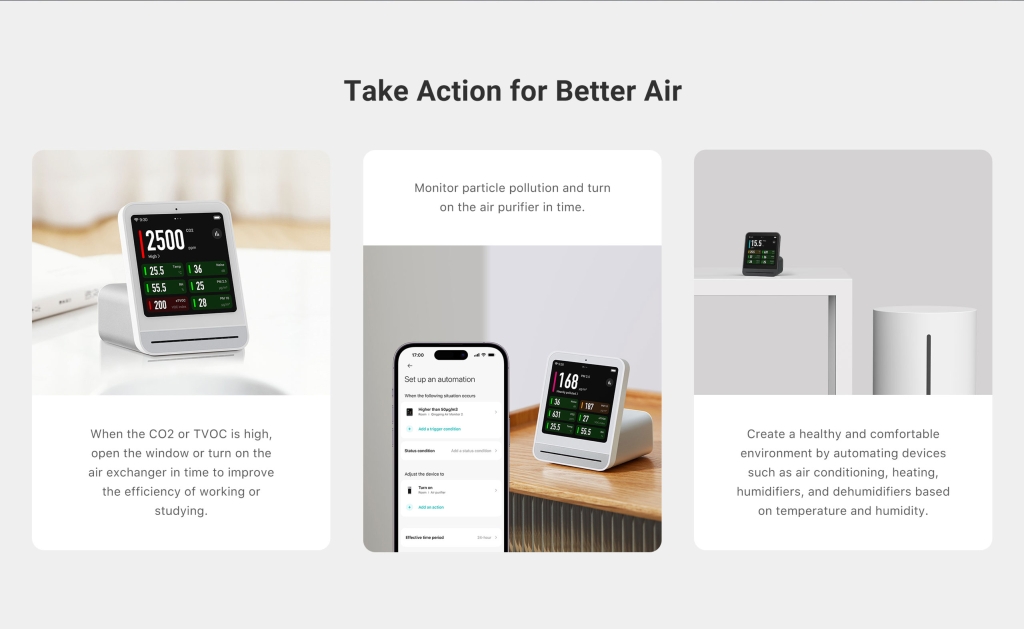
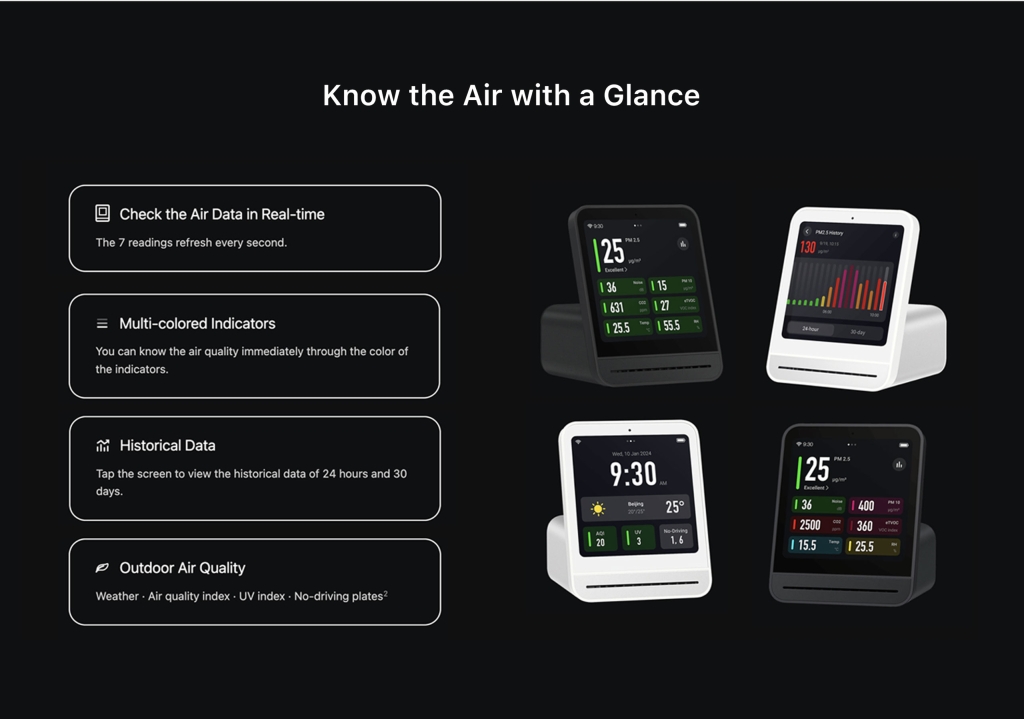
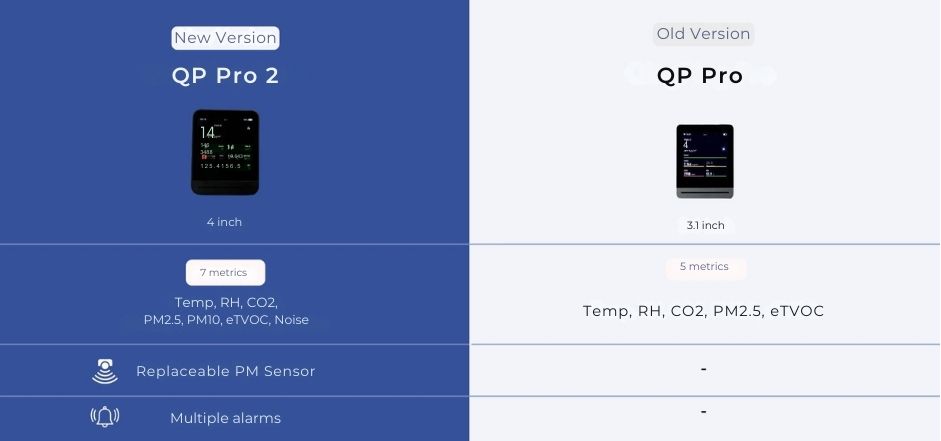
Introducing the QP Pro 2 air quality monitor – an essential tool to maintain high-quality indoor air. Track 7 metrics, including temperature, humidity, CO2, eTVOC, noise, PM2.5, and PM10 levels. With automated alert features, its sleek design, touchscreen interface, and advanced sensors ensure real-time monitoring and seamless integration with your smart home. Accuracy is backed by Smart Air's third-party tests. Available in black only.
EU Customers: To shop our products, please visit www.smartairfilters.co.uk
Description
Experience a higher level of air monitoring
With 7 sensors in a single device, the QP Pro 2 offers unparalleled convenience and efficiency to help you manage your indoor air quality. It offers a holistic view of your environmental conditions and helps you proactively identify and address issues, such as poor ventilation, high pollution levels, or excessive noise.
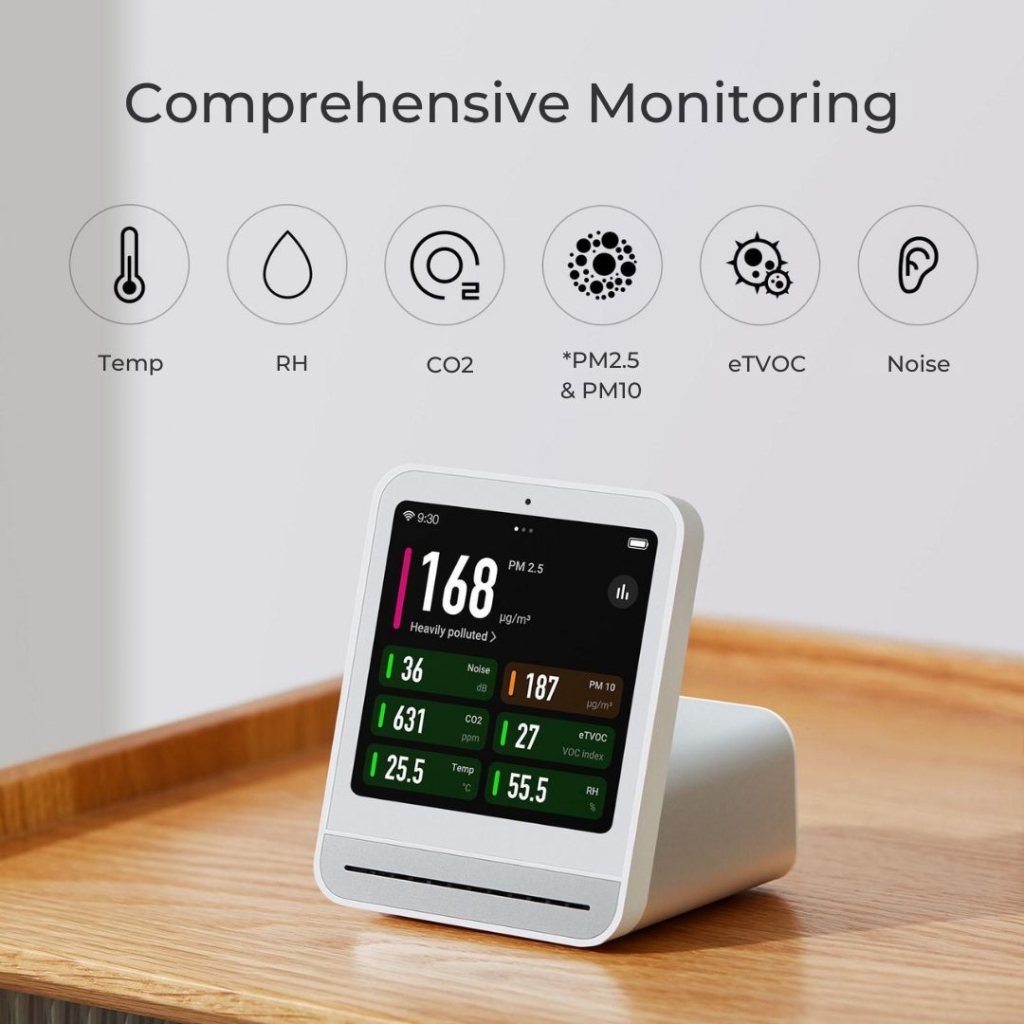
*Fine dust particles such as PM2.5 and PM10, may infiltrate into our cardio-vascular system and lead to serious health consequences.
QP Pro 2 Documents
The QP Pro 2 FAQs
My QP Pro 2 has arrived, what do I do?
To set up your QP air monitor, please follow these quick instructions:
- Download the Qingping+ (basic) or Qingping IoT (advanced) app onto your phone and connect your monitor so you can access additional monitor settings
- Go to the settings screen and check the firmware to see if any recent updates are needed on your monitor
Our monitors are set to auto calibrate CO2. We recommend going through the settings to check all the defaults are right for you.
- Auto calibrate: As long as the device is exposed to around 400-500ppm CO2 for a few hours every month, you shouldn’t need to calibrate it. This can be done by taking the device outside or placing it next to an open window. If the device isn't getting enough exposure to outdoor levels, the sensors may drift over time. If this happens, you can reset the CO2 sensors in the Settings accessed via the app.
I am sensitive to EMFs and want to reduce them while measuring air quality. Do the Smart Air monitors produce EMFs?
The manufacturer has confirmed that it may be difficult for the air monitors to be set to airplane mode or block the surrounding signal. The good news is such device is essentially a signal receiver, which means as long as it is not actually connected to Wi-Fi or Bluetooth, it will only emit negligible EMF in comparison to a router or smartphone. A device picking up your monitor doesn’t mean they are connected and you can ask smart devices, such as TV or smartphones, to ignore your air monitor to avoid any unwanted connections. It isn’t easy to shut down the connection, or cut off the signal, on monitors as they are mainly operated via Apps, as are most monitors on the market.
Why can't I connect to the Wi-Fi?
The QP Pro 2 air monitors don’t support Wi-Fi that requires authentication to be completed on a web page or information to be entered in a special login client. Please check the network signal before purchasing as the monitor currently only supports 2.4GHz or 2.4GHz/5GHz networks. It will work on a 5GHz network as well.
Why isn’t my device connecting to the internet?
Some networks, eg universities or schools, may need to whitelist the following IP addresses:
- 39.106.170.175
- 161.117.178.131
- 74.211.104.158
And the devices use the following ports so it may help to open these too:
- 11883
- 443
- 80
- 1886
What should I do if I don't see the verification code on the device screen when trying to connect to the app?
Try disconnecting and reconnecting the WiFi. If the issue persists, ensure you have followed the setup instructions in the video and documents on the product page. If you are using a university network, ensure the above IP addresses and ports are whitelisted/open.
Can I use a mobile hotspot to connect the QP Pro 2?
Yes, you can use a mobile hotspot. However, please be aware that hotspot connections can be less stable than a fixed WiFi connection. Disconnections may occur if the hotspot is turned off, or if you are on a call.
What happens if the WiFi connection breaks while using a hotspot?
If the WiFi connection breaks, you may need to remove the device from your app and reconnect it.
Does the PM sensor affect the WiFi connection?
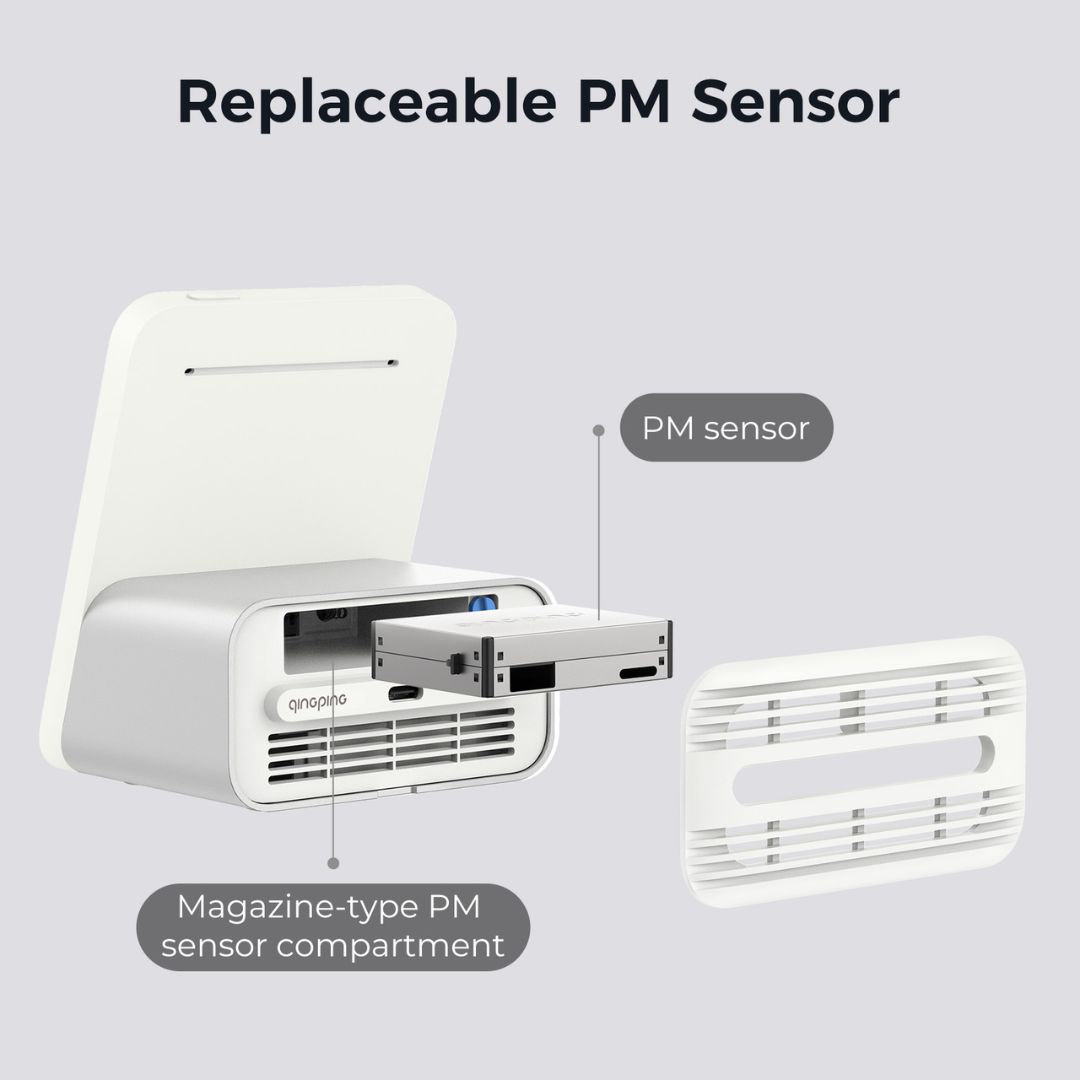
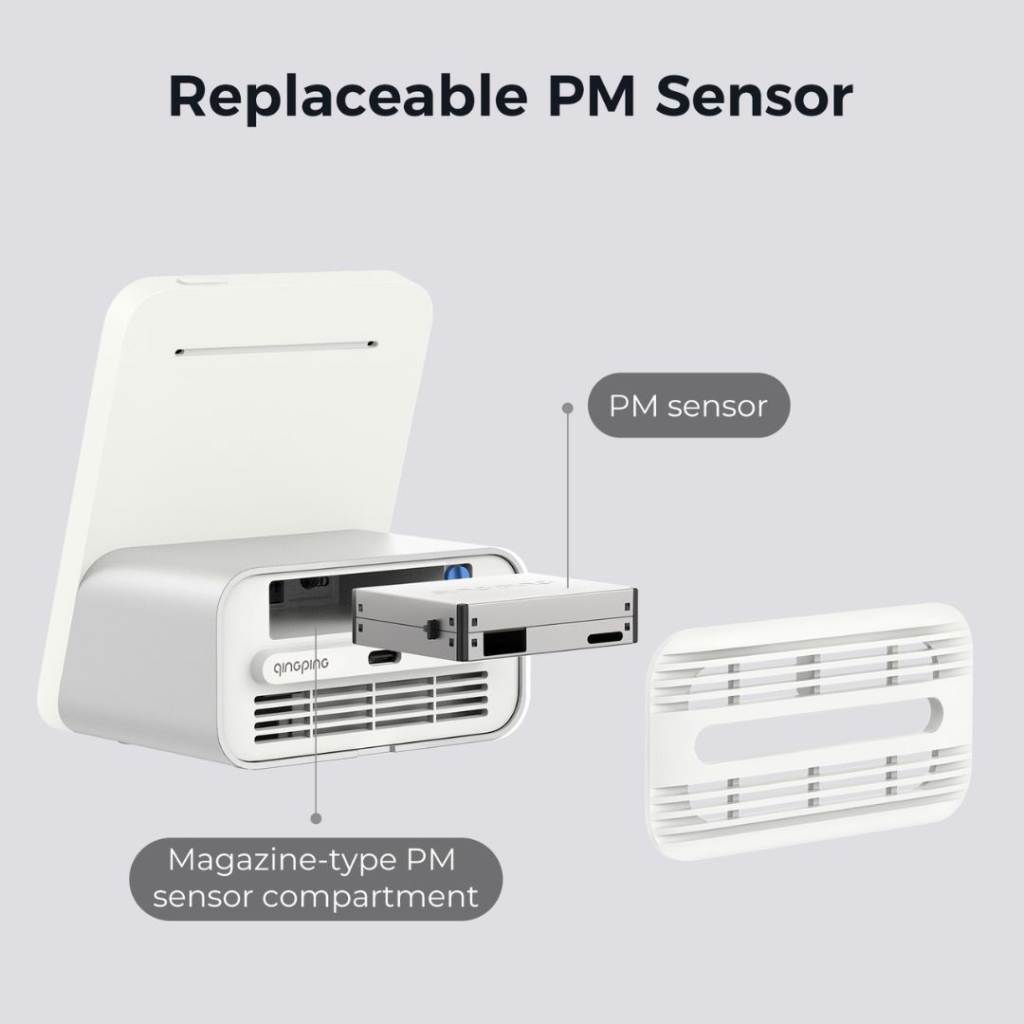
The PM sensor does not affect the WiFi connection. The device should connect to the internet and app regardless of whether the PM sensor is installed.
How do I troubleshoot connecting to the App?
If you are having trouble connecting to the app, first ensure the device is connected to the internet. Then, double-check that you are using the correct app (Qingping+ or IoT app). Try restarting both the device and your phone. If you still can't connect, take a photo or video of what you are seeing on the device screen and send it to support for further assistance.
How long is the battery life?
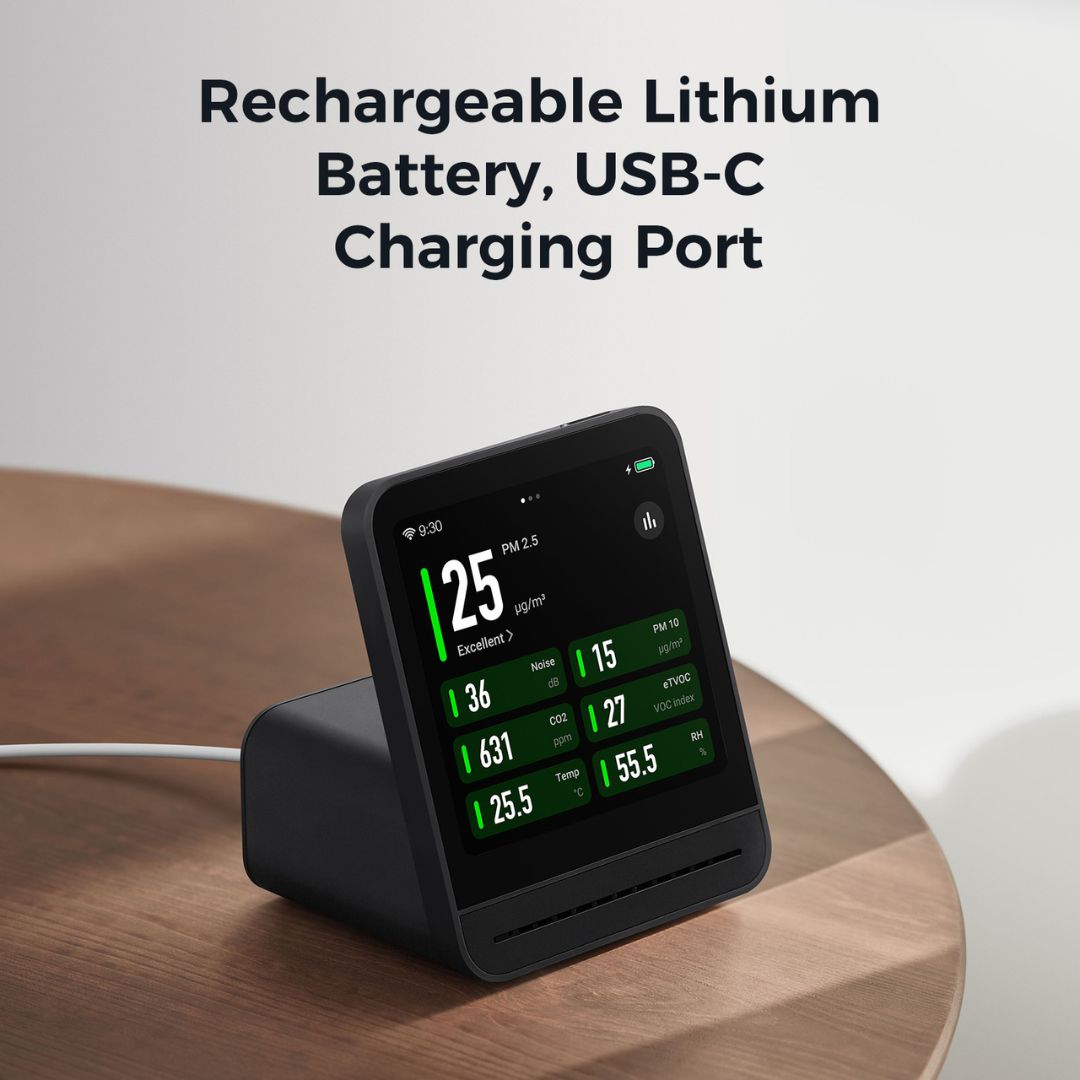
When not connected to a USB power source, the QP Pro Air Monitor will automatically shut down when the battery falls to 5%. The monitor can last on standby for about 4 hours from fully charged to automatic shut down. However, it is recommended that you keep the monitor connected to a power supply. The QP Pro 2 Air Monitor has a built-in power management function similar to that of a laptop, which does not damage the battery.
Can I use any USB charger with this and why doesn’t it come with a plug?
To keep costs down, we only provide the ubiquitous USB power cable. Plug this into your laptop or a USB plug to charge the device.
The 5v USB-C to USB-A cable should be paired with a plug that has a USB-A port. Laptop cables are too powerful for the QP air monitors and may cause them to overheat. Always check the voltage before using any substitute cables, you should only use a 5v cable.
What sensors are used?
The QP Air Monitors use the following sensors:
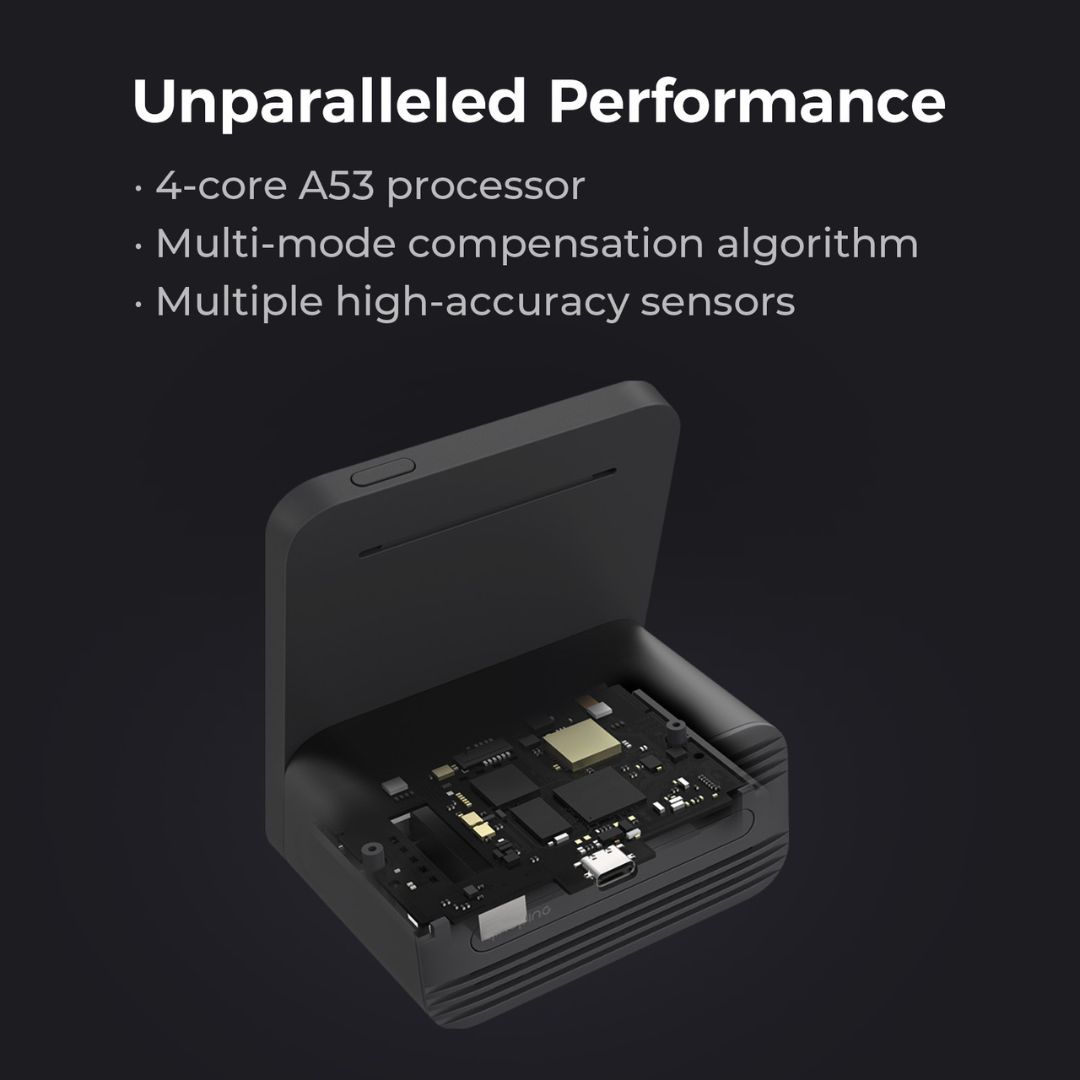
- Grandway sensor - Built-in laser scattering PM2.5 sensor with high precision
- Built-in Swiss Sensirion sensor for temperature and humidity, with high precision
- Built-in SGP30 gas sensor by Sensirion for measuring tVOC. Multi-pixel technology, good accuracy and high consistency with unparalleled siloxane resistance, long-term stability and low drift
- Built-in SenseAir CO2 Sensor S8 - Nondispersive infrared (NDIR) spectrum analysis from the world's largest manufacturer of CO2 sensors. High stability, consistency, precision, excellent anti-interference and sensitivity.
- Knowles SPH0141 noise sensor - High precision MEMS technology for accurate environmental noise measurement
What is the purpose of displaying eTVOC instead of absolute TVOC values in the QP Pro 2?
The TOVC sensor used in this product automatically adjusts the measurement baseline according tot he data from the pas period, so this product displays eTvoc (equivalent TVOC), which is not an accurate TVOC absolute value, and is only for users to observe the relative change trend of environmental TVOC concentration.
Can the QP Pro 2 synchronise with network time?
Wi-Fi connection enables automatic synchronisation with network time.
How many alarms can you set on the QP Pro 2, and what customisation options are available?
Multiple alarms to assist you with your daily routines, and you can set snooze mode and repeat rules individually.
Can you snooze or stop alarms on the QP Pro 2?
When an alarm rings, tap “Snooze” on the screen or press the top button; it will ring again after 10 minutes. Tap “Stop” to turn off the alarm.
Can the QP Pro 2 noise sensor record audio or sound?
Qingping solemnly declares that the QP Pro 2 does not have an audio-recording function. Its noise sensor can only measure the sound energy intensity in the environment where the device is located. This means it will not pick up or transmit any sound or words.
How many pre-installed ringtones does the QP Pro 2 offer, and is it possible to upload additional ones?
The QP Pro 2 includes 8 ringtones, and you can upload an additional one through the Qingping + app.
Do I have to be connected to the Internet to use the monitor?
No. The air monitoring function works well without an internet connection. However, when not connected to the Internet the time, weather conditions and remote viewing functions are unavailable.
Can I use the monitor without using the app?
The QP Pro 2 monitor allows you to do everything on the device itself, without needing the app.
Can I use the QP Pro 2 while holding it in my hands?
No, the QP Pro 2 is a desktop product and is not designed for handheld use. It should be installed on a stable surface.
What is the FCC radiation exposure compliance for this product?
This product complies with FCC radiation exposure limits. To ensure safe usage, maintain a minimum distance of 20 cm between the device's radiator and your body.
Can I use the QP Pro 2 outdoors?
The operation of this device in the frequency band 5150-5250 MHz is restricted to indoor use only. Using it outdoors within this frequency range is not recommended.
Technical Specs
| Weight | 3 kg |
|---|---|
| Dimensions | 7.4 × 8.5 × 10.4 cm |
| Your Purchase Includes | Includes 1 × QP Pro 2 Air Quality Monitor, charging cable, user manual |
| Colour | Black |
| Dimensions L × W × H | 74 × 85 × 104 (mm) |
| Weight | 250 g |
| Ranges | PM2.5/PM10: 0 ~ 999 μg/m³ |
| Power Supply | 5V - 1A / USB-C cable |
| Wi-Fi | Wi-Fi 2.4 - 5 GHZ |
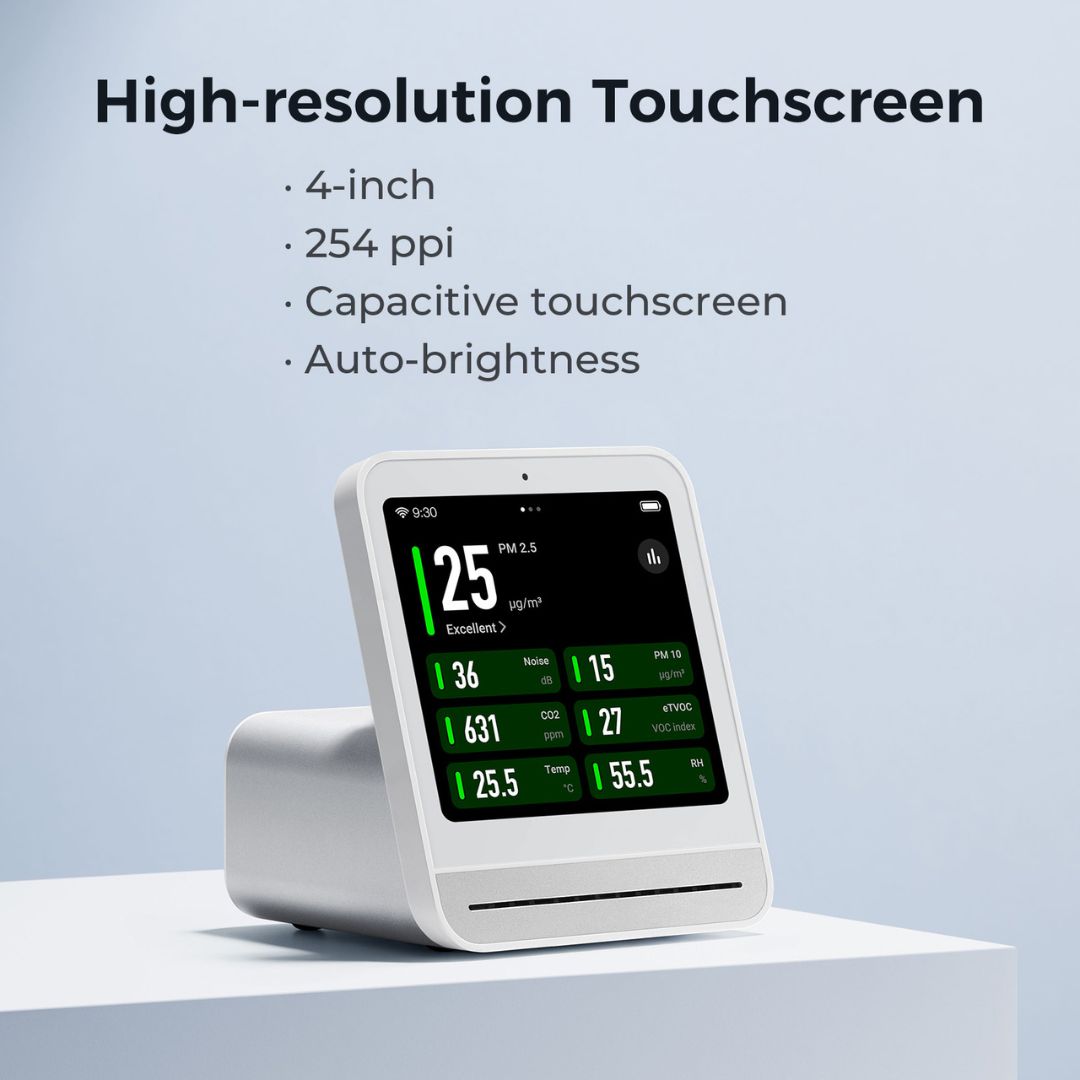
| Screen Type | 4'' LCD Touch Screen / Resolution: 720 × 720 |
| Supported Platforms | XiaoMi Mijia |
| Warranty | 1 year |
| Battery Type | Lithium Ion Battery 1800mAh / 3.7V |
| Battery Life | Approx. 4 hours |

